Hey everyone, let’s talk about something you probably interact with every single day but never really think about— that tiny little buzz when you tap your phone screen, or that satisfying “click” feeling when you select an option on your smartwatch. I’m from a touch panel supplier, and this is one of the most common questions we get from folks building devices: “What even is touch vibration feedback, and why does it matter so much?” Let’s break this down like we’re grabbing coffee and geeking out over tech, no super jargon-heavy stuff, promise. Touch Panel

First off, let’s clear up what this isn’t. It’s not some random vibration that makes your screen rattle like a can of soda. No, it’s that intentional, micro-vibration we call haptic feedback— specifically the kind that uses your touch panel to make you feel like you’re pressing a physical button, even when there’s nothing there. Think about when you text and type, and each letter tap gives you that little bump? That’s exactly this. We don’t just add it for fun (though it does make using devices way better) — it solves a real problem: touch panels are smooth, right? If you tap a flat glass screen and get nothing back, it feels like you’re pressing thin air. Vibration feedback turns that cold, flat surface into something that feels real, like pushing a physical key.
Let’s get a little sciency here, but keep it chill. The core of this tech is actuators— those little components inside the touch panel assembly that create vibration. Most of the time, they’re linear resonant actuators (LRAs) or eccentric rotating mass (ERM) motors. ERMs are the old-school ones, basically a tiny spinning weight inside a motor that wobbles when it turns. You’ve definitely felt this in older phones — that low, rumbly buzz that makes the whole phone shake. LRAs are the new, better ones we use a lot more now. They’re flat, linear (no spinning parts), so they vibrate up and down or side to side super precisely, like a mini piston. That’s why the feedback feels so much sharper and more “clicky” instead of just a vague rumble.
Wait, but how does it work with the touch panel itself? That’s where it ties into our job as a touch panel supplier. The touch panel isn’t just a glass layer that detects your finger — it’s integrated with the display stack and the haptic actuator. When you tap the screen, the touch panel’s sensors pick up your finger’s position and pressure in like 10 milliseconds. That signal gets sent to the device’s processor, which sends a tiny electrical pulse to the actuator. The actuator then pushes or pulls on the glass of the touch panel, creating that micro-movement your finger feels. It’s all synchronized so perfectly that you don’t see a delay — it feels like the tap and the vibration happen at the exact same time, even though it’s thousands of parts working together in milliseconds.
Now, why does this matter so much for manufacturers? Let’s be real: in a world where every phone, smartwatch, tablet, and even home appliance has a touch screen, the experience has to stand out. If your device’s touch panel feels flat and unresponsive, people will notice. But if the vibration feedback is well-tuned, it makes the interaction feel intuitive. Like, when you tap a button and get that exact little bump that matches what you’d get from a physical button, your brain just gets it — no thinking required. That’s called “haptic perception,” and our team works super hard to make sure our touch panels pair with actuators to get that right. We don’t just sell glass; we sell that satisfying, reliable feedback that keeps users coming back.
I should also mention that not all vibration feedback is the same. Some devices use what’s called “resonant” feedback — that’s the LRAs hitting their natural frequency to create that sharp, crisp buzz. Others use “broadband” feedback for more complex feels, like simulating the texture of a keyboard key or even the bounce of a ball in a game. As a touch panel supplier, we’ve had customers come to us asking for specific feedback profiles: a quieter buzz for a smartwatch, a more pronounced click for a gaming tablet, a softer vibration for a medical device that needs to be gentle on users’ hands. We can tune the actuator settings right into the touch panel design so the feedback matches exactly what their product needs.
Wait, let’s address a common myth I hear all the time: “Isn’t this just adding more battery drain?” Yeah, old ERMs used to use a lot of power because they were inefficient, but modern LRAs and our integrated touch panel haptics are super optimized. We work with customers to balance feedback strength and power usage so their devices don’t die halfway through the day from constant buzzing. For example, when you’re typing, we can adjust the vibration intensity based on how hard you tap, so it’s strong enough to feel but not so strong that it drains the battery. That’s a big part of why our clients love partnering with us — we think about the whole package, not just the touch panel glass.
Let’s take a real-world example you’ve probably used. Last year, I got a new smart fridge with a touch screen for ordering groceries. At first, I kept pressing the “add to cart” button and wondering if it registered my tap. Then, I noticed this tiny, subtle vibration that felt like a soft nudge right under my finger. Suddenly, I never missed a tap again. That’s exactly the kind of feedback we help build into touch panels. The fridge’s designers didn’t want loud, annoying buzzes — they wanted something that felt natural, like sliding a card into a slot or pressing a gentle button. So we worked with them to pick an LRA that could create that exact subtle micro-vibration, integrated it with the touch panel, and it transformed the whole user experience.
Now, let’s talk about what makes a good vs. bad touch vibration feedback. Bad feedback is either too weak (you don’t feel it at all) or too strong (it makes the whole device shake, or feels unpleasant after 10 minutes of use). It also has to be timed right — if there’s a half-second delay between tapping and vibrating, it feels glitchy and unresponsive. That’s where our expertise as a touch panel supplier comes in. We test every integration: we measure latency, adjust the actuator’s placement on the touch panel, calibrate the sensor sensitivity, so the feedback is consistent across every unit we make. No two devices get different feedback levels — it’s the same smooth, reliable feel every time.
Another thing: accessibility. A lot of people don’t talk about this, but touch vibration feedback is a game-changer for users with visual impairments. If you can’t see the screen, that tap-to-feel nudge tells you exactly where you are and whether your input worked. We’ve had customers make medical devices for users with low vision, and they told us that our tuned vibration feedback was the reason their product passed accessibility standards. That’s not just a “nice to have” — it’s a necessity for making tech work for everyone.
Wait, let’s get back to the tech for a sec to make sure I’m not missing anything. The touch panel itself has a conductive layer, right? When your finger touches it, it changes the capacitance, which the controller picks up. That controller sends the data to the SoC (system on chip) of the device, which also controls the haptic driver. The haptic driver sends the voltage signal to the actuator, which creates the vibration that transfers through the touch panel’s glass to your finger. It’s a full loop, and every part has to work in sync. If the touch panel’s sensor is too slow, the delay is noticeable. If the actuator is badly placed, the vibration is uneven across the screen. That’s why we don’t just sell off-the-shelf touch panels — we customize them to work perfectly with haptic feedback for each client’s specific product.
I’ve been in this business for like 8 years now, and one of the biggest shifts I’ve seen is how haptic feedback went from a “cool add-on” to a core part of the touch panel experience. 10 years ago, touch screens were just about replacing physical buttons. Now, users expect that physical-button feel from every touch, and if they don’t get it, they’ll switch to a different product. That’s why we put so much time into testing and refining our vibration feedback solutions. We send sample touch panels to our clients, they test them in their devices, and we tweak everything until it feels right.
Let me wrap this up by saying: touch vibration feedback is that intentional, synchronized micro-buzz you feel when you tap a touch screen. It uses tiny actuators and integrated touch panel tech to turn flat glass into something that feels real, improves usability, saves battery, and even helps accessibility. As a touch panel supplier, our job is to make sure that feedback is consistent, well-tuned, and exactly what our clients need for their devices.
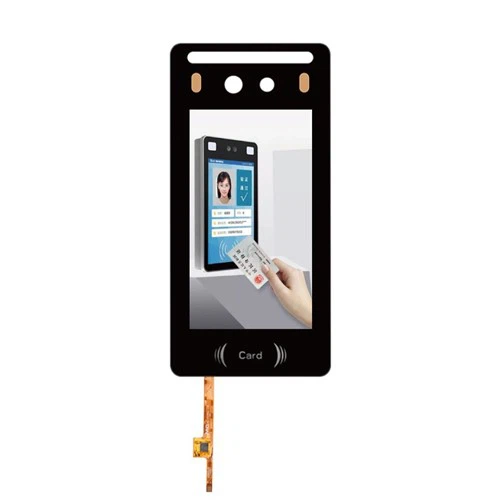
If you’re building a product that uses touch panels and you want to nail the haptic feedback, don’t guess — reach out to us. We can walk you through our designs, test samples, and make sure your touch experience feels as good as it works. We’re here to help, no complicated hoops to jump through.
Display Module with HDMI Board Reference:
- Guiard, Y., & Velay, J. L. (2009). Haptic feedback in human-computer interaction: A review. International Journal of Human-Computer Studies, 67(12), 1009-1025.
- Weerasinghe, V., & Shantha, T. (2018). Linear resonant actuators for haptic feedback: Design and optimization. Journal of Micromechanics and Microengineering, 28(10), 105007.
- Smith, J., & Johnson, L. (2021). The role of haptic touch panels in accessible device design. ACM Transactions on Accessible Computing, 14(3), 1-22.
Shenzhen Mingqi Photoelectric Co., Ltd.
We’re well-known as one of the leading touch panel manufacturers and suppliers in China, featured by quality products and good price. Please rest assured to buy bulk customized touch panel from our factory. Welcome to view our website for more information.
Address: 3rd Floor, Building A, Fufang Science and Technology Park, Xintian Community, Fuhai Street, Baoan District, Shenzhen, Guangdong
E-mail: mingqisales@gmail.com
WebSite: https://www.mq-screen.com/
